
Quick answer
Top pick
Take the Razer Viper V3 Pro SE if you use a claw or fingertip grip and want a light symmetrical mouse (the same profile on both sides). At the high end, take the Logitech G Pro X Superlight 2, or the Razer DeathAdder V4 Pro for an ergonomic shape sculpted for one hand; at entry, the wired Razer DeathAdder V3.
- Pick the Razer Viper V3 Pro SE if you hold the mouse with a claw or fingertip grip and shop mid-range.
- Pick the Logitech G Pro X Superlight 2 if you want a symmetrical wireless mouse at the high-end tier.
- Pick the Razer DeathAdder V4 Pro if your hand is on the large side and you prefer an ergonomic flagship.
- Pick the Razer DeathAdder V3 if you like an ergonomic shape and are shopping at the entry tier.
Our picks are based on manufacturer specs and pro player usage data. We have not tested these products hands-on.
At a glance
Razer Viper V3 Pro SE
- Verdict
- A pro favorite's shape and sensor in a light 54 g wireless body, with a 1000 Hz dongle (the small USB receiver a wireless mouse talks to) in the box.
- Who it is for
- Claw and fingertip players who want a light symmetrical mouse.
Key specs
- Shape
- Symmetrical
- Weight
- 54 g
- Sensor
- Focus Pro 35K Gen-2
- Max polling rate
- 8 kHz (add-on dongle)
In this article
Picture a late-round retake in CS2: you flick to the angle and must stop on a head, with no time to re-grip.
That is why fit comes before the numbers on the box.
All six were on their brands' US stores on October 25, 2026.
Pros choose for their own grip and size, so check any pro favorite against yours before you copy it.
Our picks compared
Comparison based on published specifications. Check the manufacturer page for current details.
Compare all specs
| Product | Shape | Weight | Sensor | Max polling rate | Link |
|---|---|---|---|---|---|
| Razer Viper V3 Pro SE | Symmetrical | 54 g | Focus Pro 35K Gen-2 | 8 kHz (add-on dongle) | Check price on Razer(affiliate link, opens in a new tab) |
| Logitech G Pro X Superlight 2 | Symmetrical | 60 g | HERO 2 | 8 kHz | Check price on Logitech G(affiliate link, opens in a new tab) |
| Razer DeathAdder V4 Pro | Ergonomic | 56 g | Focus Pro 45K | 8 kHz | Check price on Razer(affiliate link, opens in a new tab) |
| Logitech G305 X SUPERLIGHT | Classic G305 shape | About 59 g | HERO 44K | 8 kHz (add-on receiver) | Check price on Logitech G(affiliate link, opens in a new tab) |
| Logitech PRO X SUPERLIGHT 2c SE | Compact | 51 g | HERO 2 | 8 kHz (add-on receiver) | Check price on Logitech G(affiliate link, opens in a new tab) |
| Razer DeathAdder V3 | Ergonomic | 59 g | Focus Pro 30K | 8 kHz | Check price on Razer(affiliate link, opens in a new tab) |
Razer Viper V3 Pro SE
Who it's for: A pro favorite's shape and sensor at the mid-range tier.
Logitech G Pro X Superlight 2
Who it's for: A safe first choice if you do not know your grip yet.
Razer DeathAdder V4 Pro
Who it's for: A flagship ergonomic shape that fills bigger hands.
Logitech G305 X SUPERLIGHT
Who it's for: One mouse for gaming and, over Bluetooth, a laptop or tablet.
Logitech PRO X SUPERLIGHT 2c SE
Who it's for: A compact body for smaller hands, or anyone who likes one.
Razer DeathAdder V3
Who it's for: An ergonomic shape that fills your hand, at the entry tier.
What decides the right mouse for FPS
Fit goes first: choose a shape for your grip and hand size, then check weight, cable, polling rate, clicks and DPI.
Palm, claw or fingertip: which shape suits your grip?
Corsair's grip guide suggests a shape for each grip.

- Palm (palm and fingers rest on the mouse): "a shape that supports the full hand".
- Claw (heel of your hand on it, fingertips curled): "a higher rear hump".
- Fingertip (just your fingertips touch): "avoid a hump that creates unwanted palm contact".
The right pairing lets you stop a flick without shifting your hand.
If you do not know your grip yet, start with the Superlight 2.
One pro-gear buyer's guide says the Superlight line fits almost every hand size and grip style.
Is the mouse the right length for your hand?
Compare your hand length and width with the mouse dimensions: smaller hands suit shorter, narrower mice.
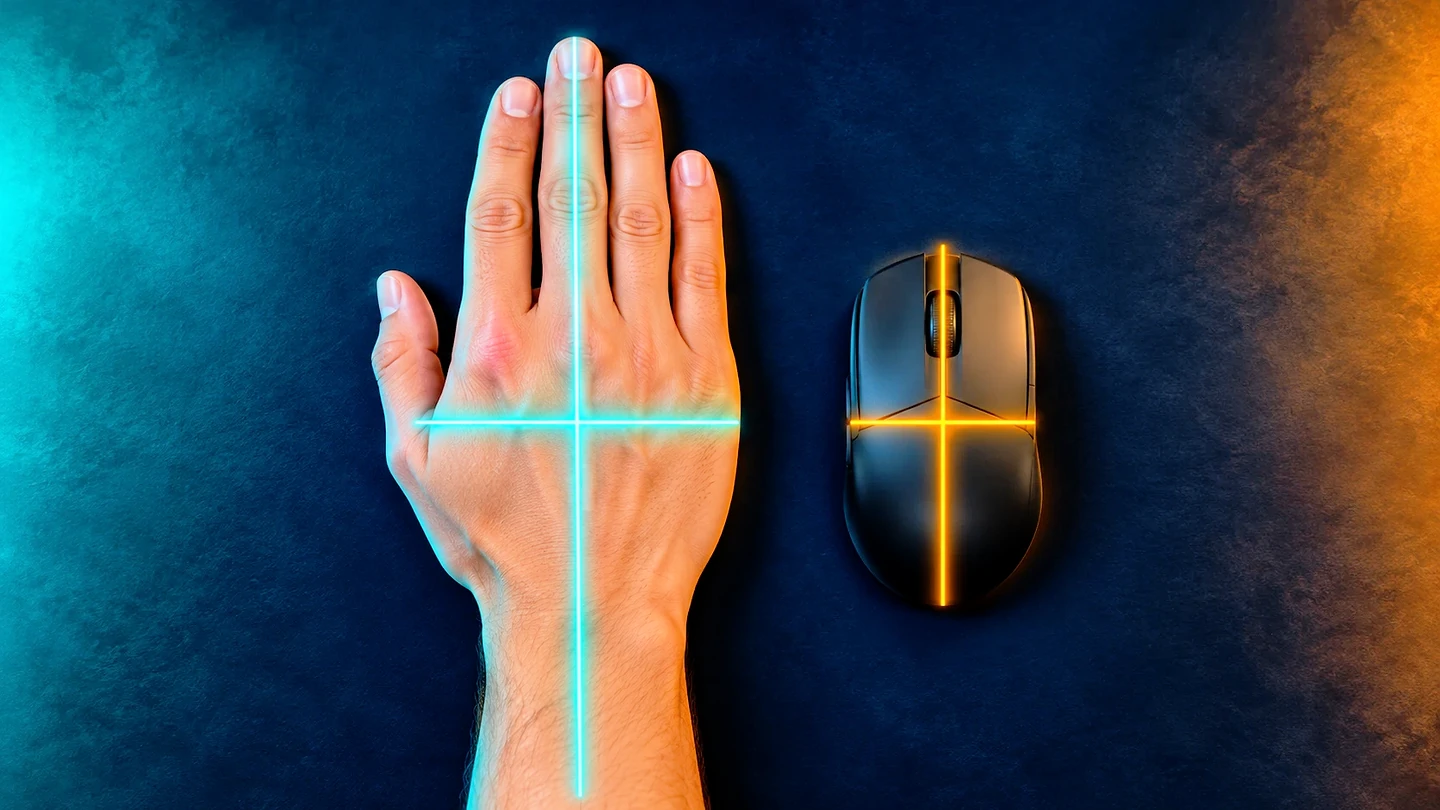
A good size keeps your fingers on the buttons through a whole round.
The DeathAdder V4 Pro is 12.8 cm long, "a bit on the larger side" by the same guide.
The Viper V3 Pro shape, also the SE's, is 12.71 cm.
Symmetrical or ergonomic: which do pros pick?
The five mice most used by tracked pros are symmetrical; sixth is the ergonomic DeathAdder V4 Pro, at 6.76% (ProSettings.net).
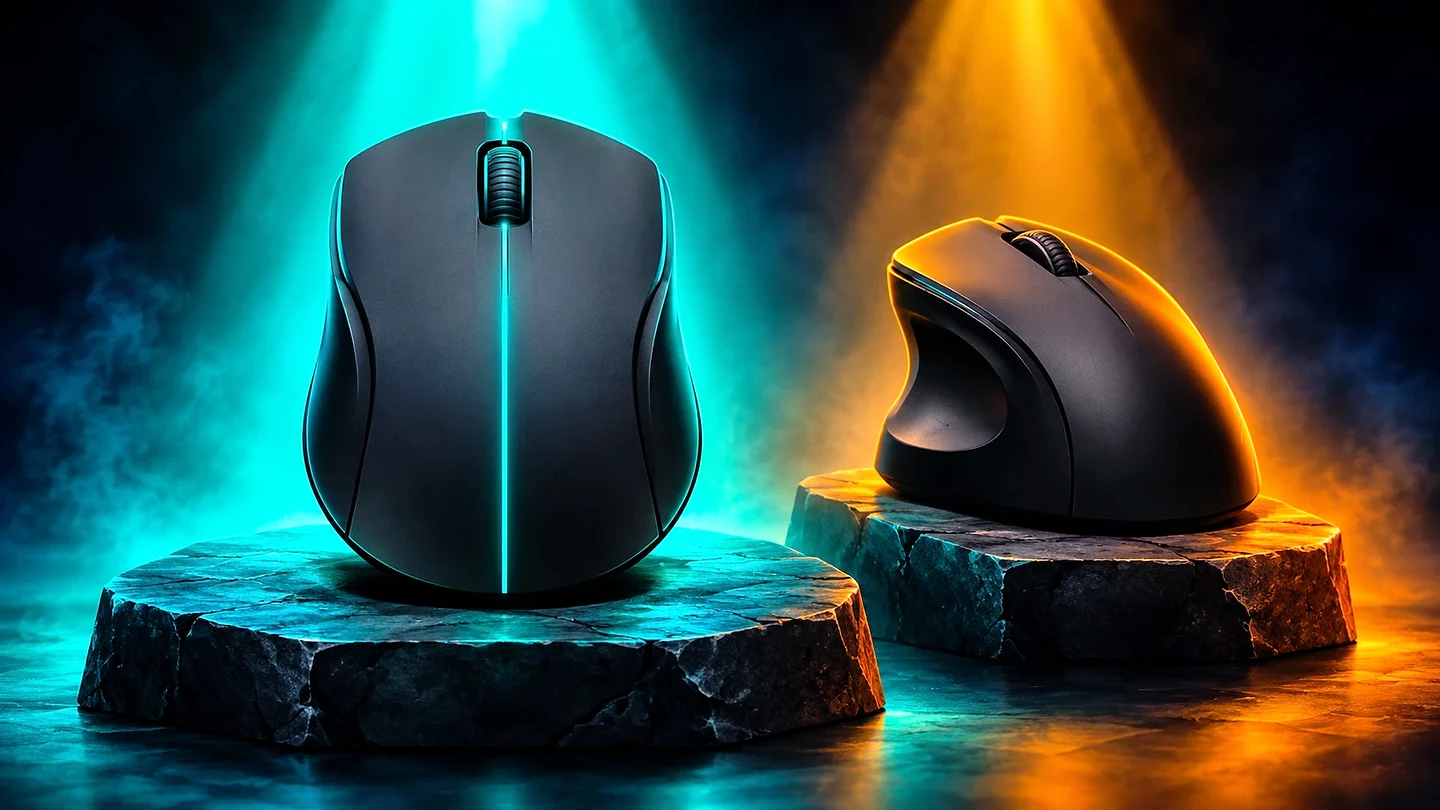
A shape that sits the same way in your hand every round makes your flicks repeatable.
Our take: with no strong preference, go symmetrical, the shape those leaders share.
How much do pro mice weigh?
The five leading mice among 701 tracked Valorant pros weigh 49 to 62 g.
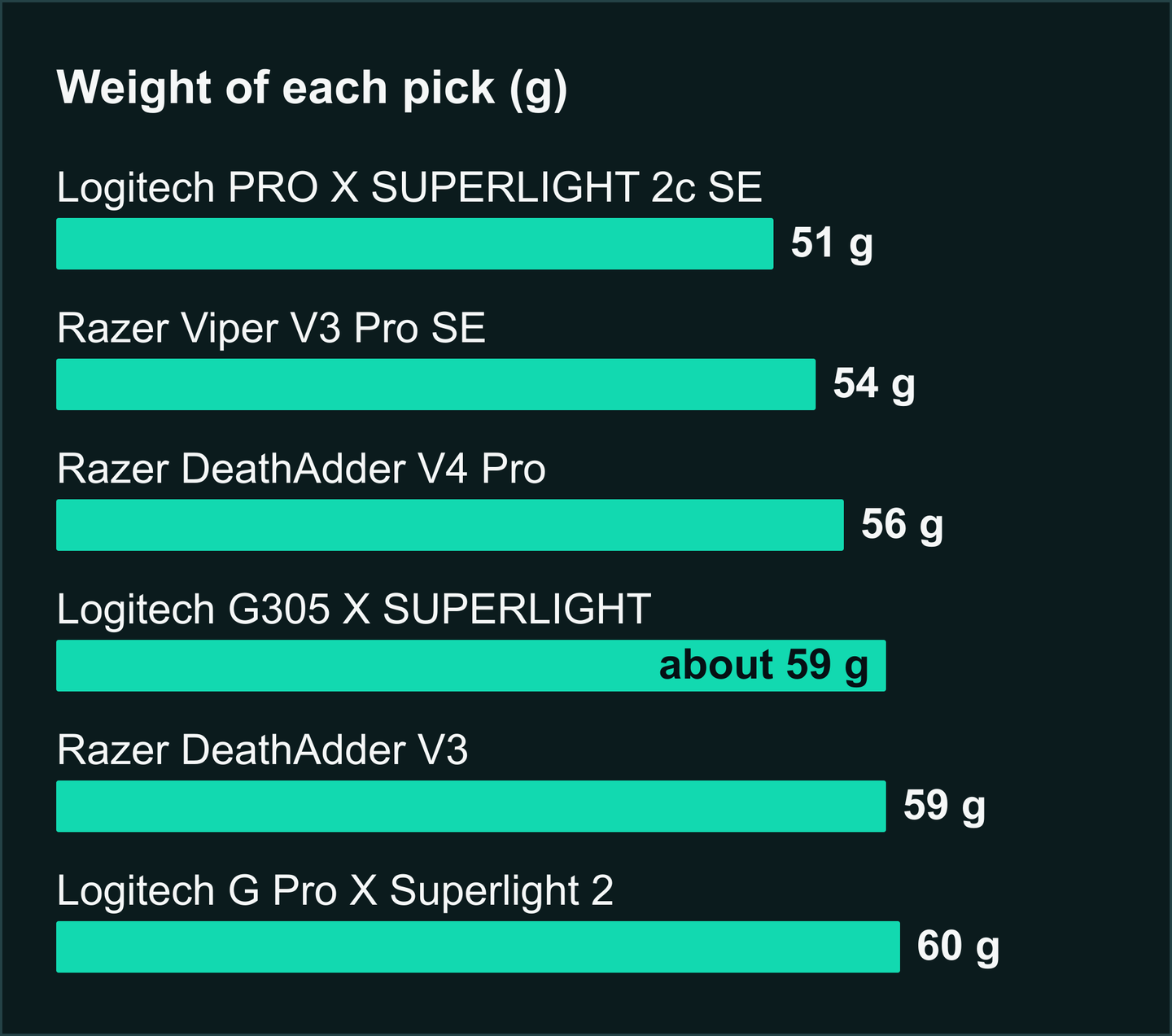
The buyer's guide puts most pros at 55 to 65 g.
Our picks run from 51 g (2c SE) to 60 g (Superlight 2). Less weight takes less effort to start and stop a flick.
Wired or wireless for FPS?
Pros have gone wireless: every mouse in the Valorant ranking and the CS2 top five is a wireless model.
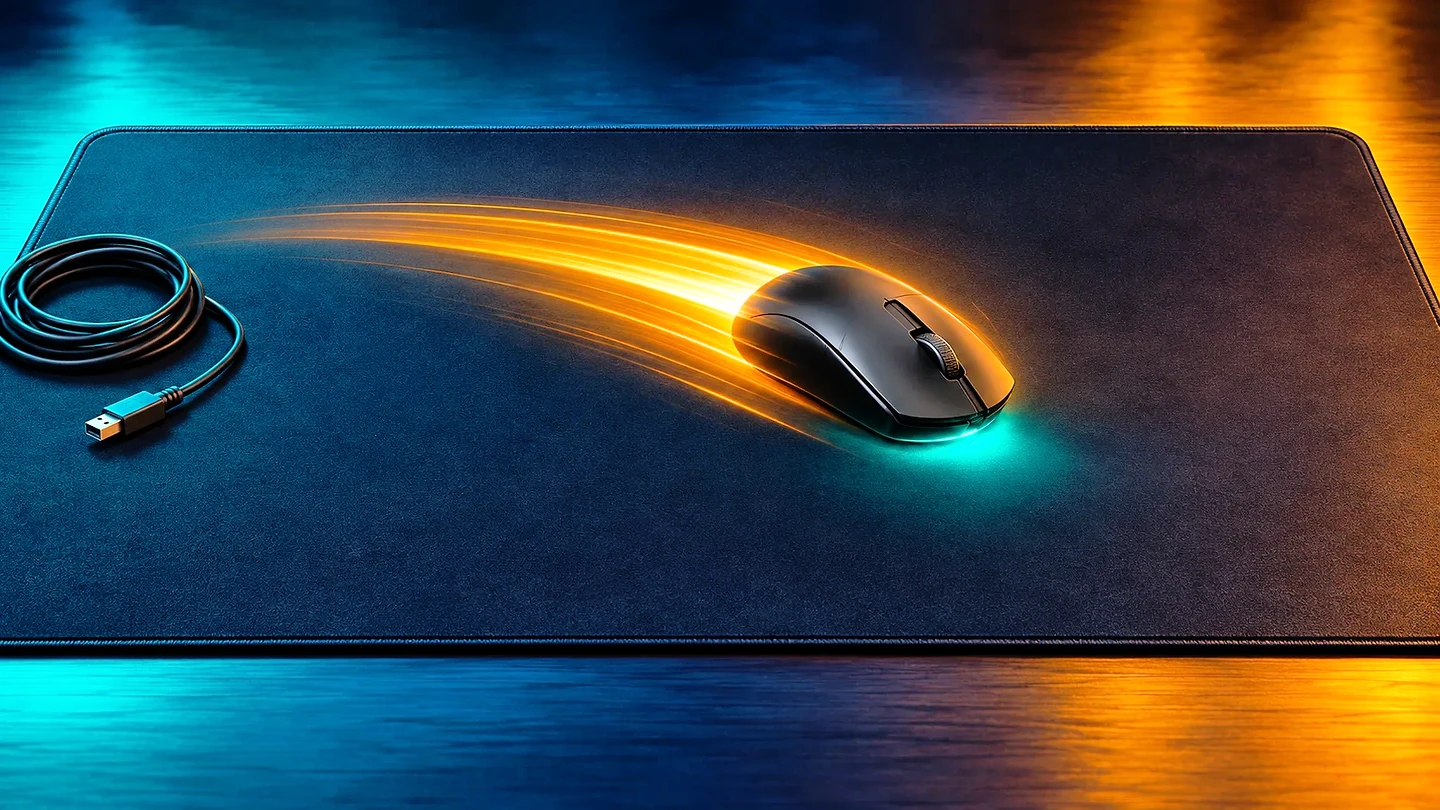
The DeathAdder V3 is the one wired mouse here.
Wireless clears the cable from wide swipes, at the cost of a battery to charge.
Does 8000 Hz polling matter?
Higher polling rates are a cherry on top, says ProSettings.net's polling article.
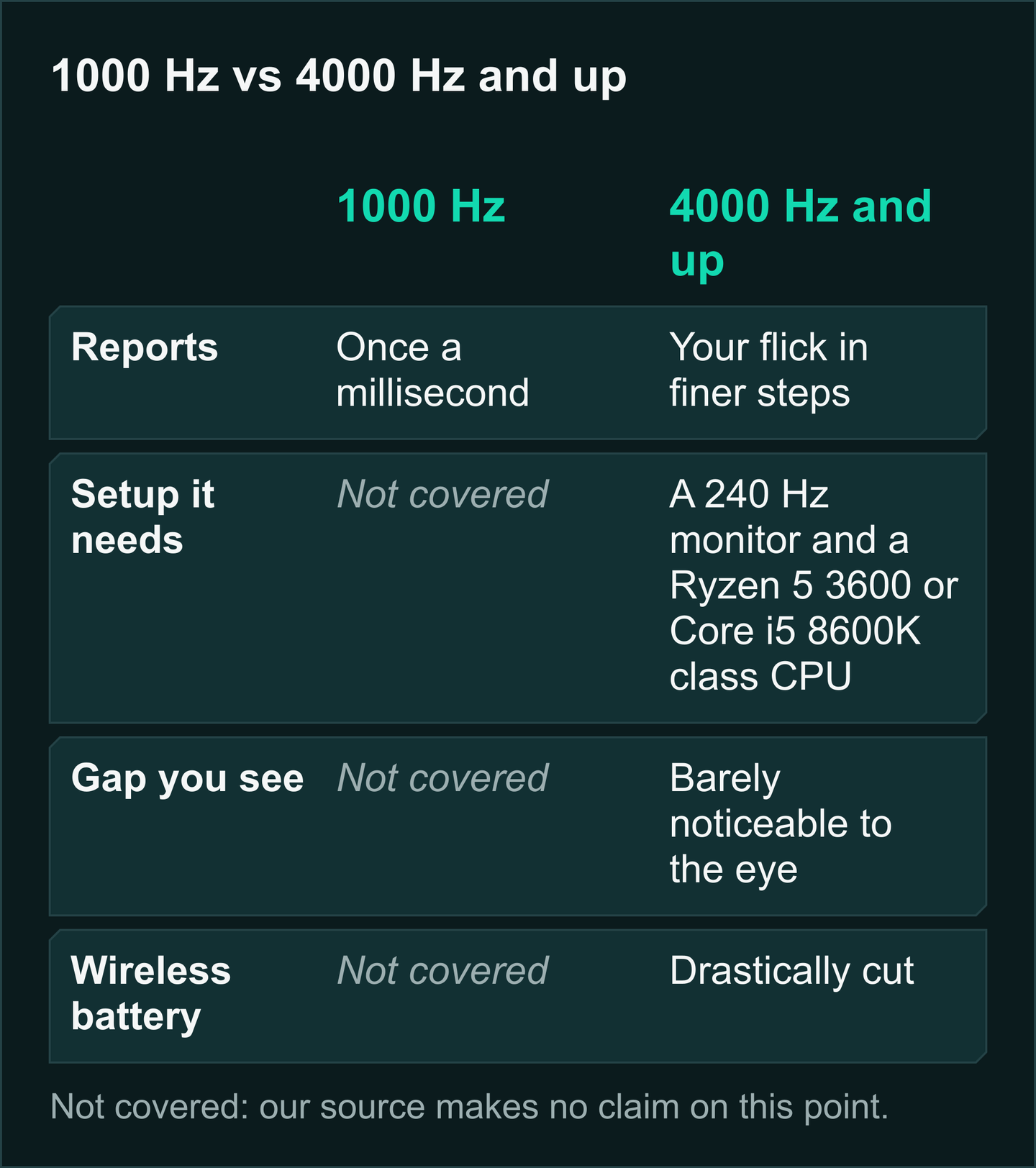
Polling rate is how often the mouse reports its position to your PC: 1000 Hz (1 kHz) is once a millisecond.
The article pairs 4000 Hz and up with a 240 Hz monitor and a Ryzen 5 3600 or Core i5 8600K class CPU.
If your screen runs below 240 Hz, our guide to choosing an FPS monitor starts with refresh rate.
A faster rate reports your flick in finer steps, but that article found the gap barely noticeable to the eye.
On wireless mice, higher rates drastically cut battery life.
Are optical switches better for FPS?
The three Razer picks have optical switches, which read a click with light and need no debounce delay.
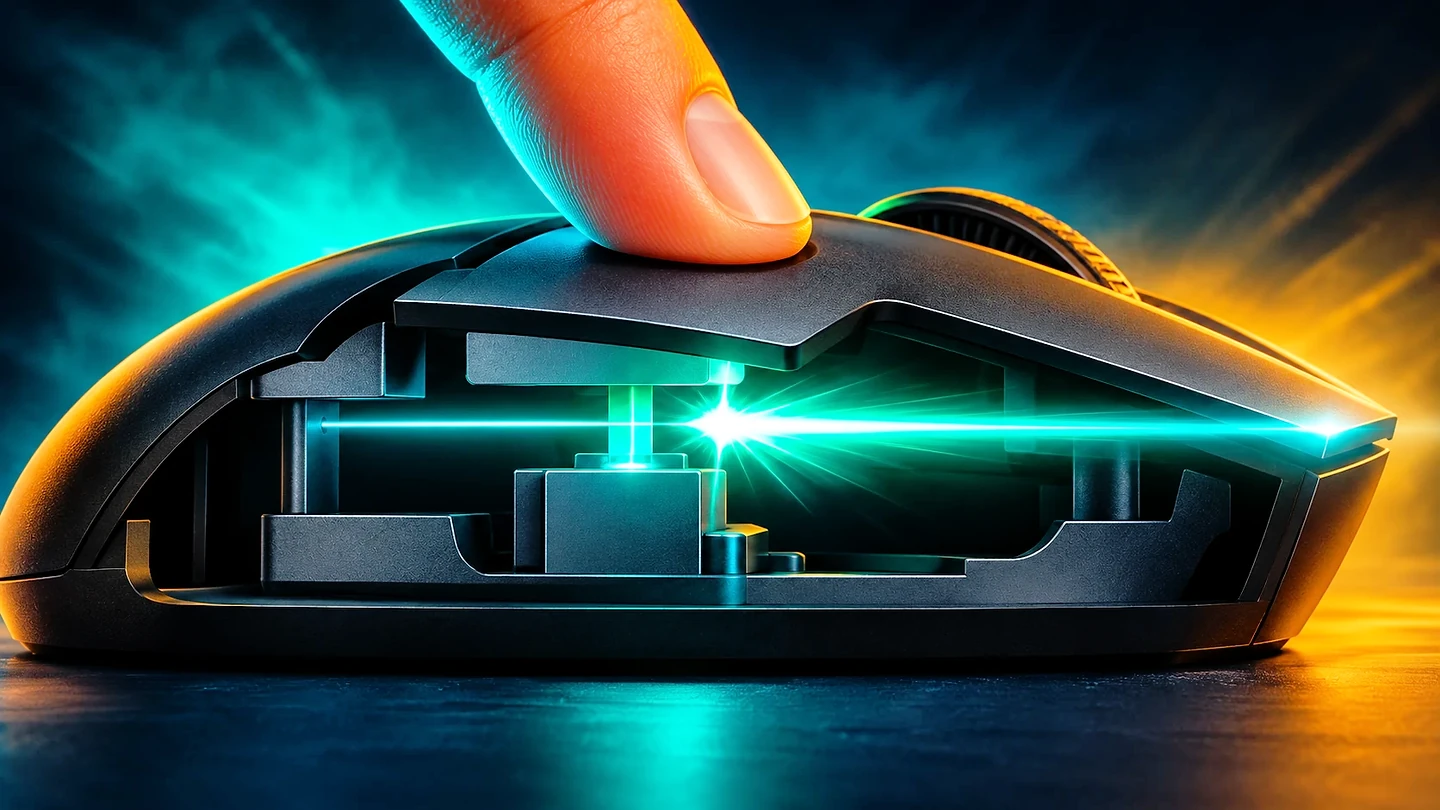
The Superlight 2 and 2c SE use LIGHTFORCE hybrids: optical-style speed with a mechanical click feel.
Debounce is the short wait a mechanical switch adds to filter out false double clicks.
Without that wait, your shot goes out as soon as the switch triggers.
Do pros use 400 or 800 DPI?
Of 948 tracked CS2 pros, 66% use 400 DPI, 28% 800 and 5% 1600 (ProSettings.net, September 2026).
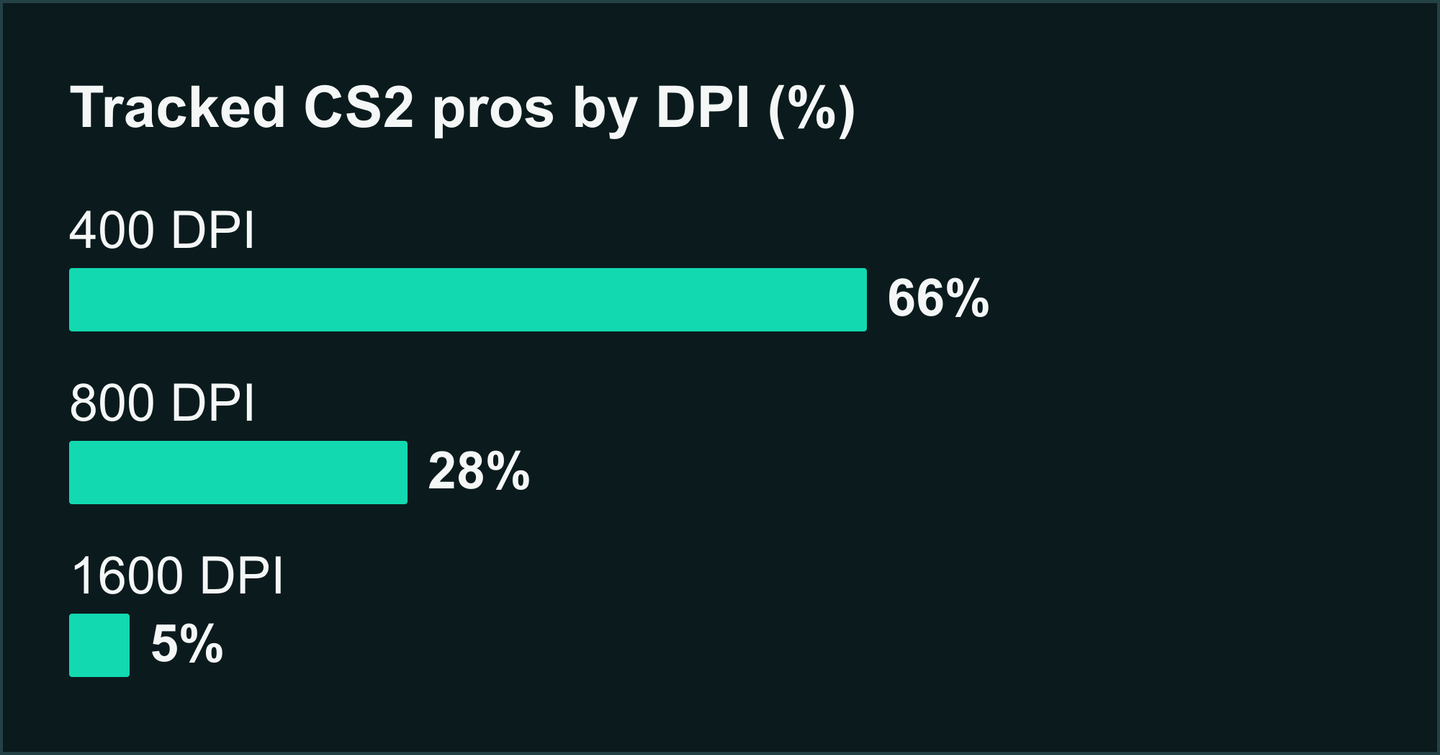
DPI (dots per inch) sets how far your cursor moves for each inch of mouse travel.
In Valorant, almost no pro goes above 1600.
Our picks' sensors, the optical cameras under the mouse that track movement, go far past that.
The DPI ceiling changes nothing in a gunfight: compare shape and weight instead.
At a low DPI your whole arm moves, so give the mouse a pad large enough for full swipes.
Below the flagships: how a lower tier compares
Below the flagships, our picks stay at 59 g or less, keep current sensors and mostly drop 8 kHz from the box.
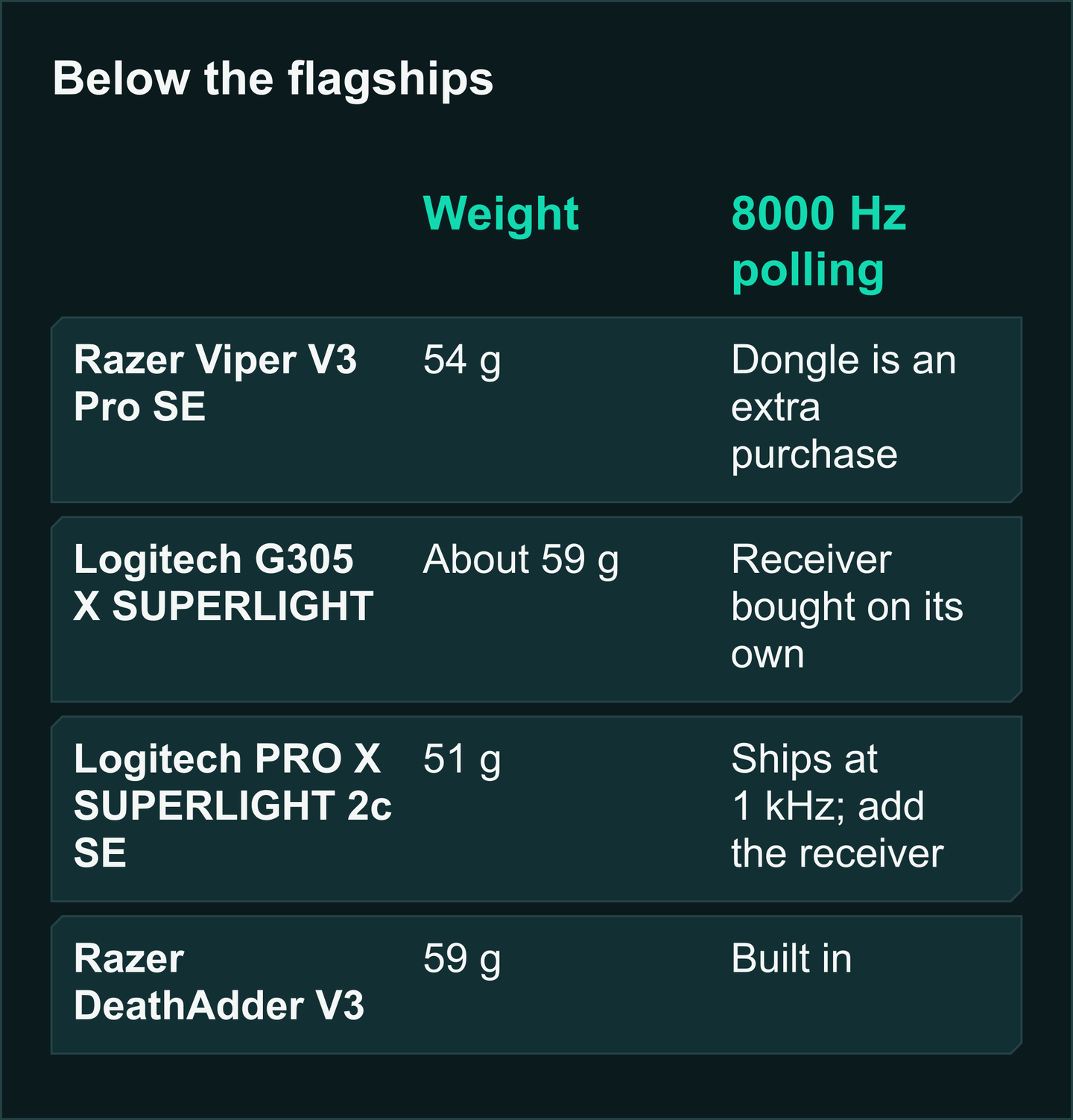
The Viper V3 Pro SE, G305 X SUPERLIGHT and 2c SE reach it only with a receiver sold separately.
At entry, the DeathAdder V3 has that rate built in.
The buyer's guide does not count the in-box rate as a dealbreaker, so you can start there and fit the receiver later.
Three buying mistakes
Each one is easy to make from a spec sheet alone.

- Turning on the top polling rate on a modest PC. The polling article warns that a weak CPU can add input lag.
- Buying a right-handed shape for your left hand. Both DeathAdders we picked are right-handed, and the Viper V3 Pro SE is listed as a right-handed symmetrical shape.
- Taking a fingertip mouse for a palm grip. The Viper V3 Pro SE is aimed at claw and fingertip users.
Which gaming mouse tier fits you?
Tier first, then shape.
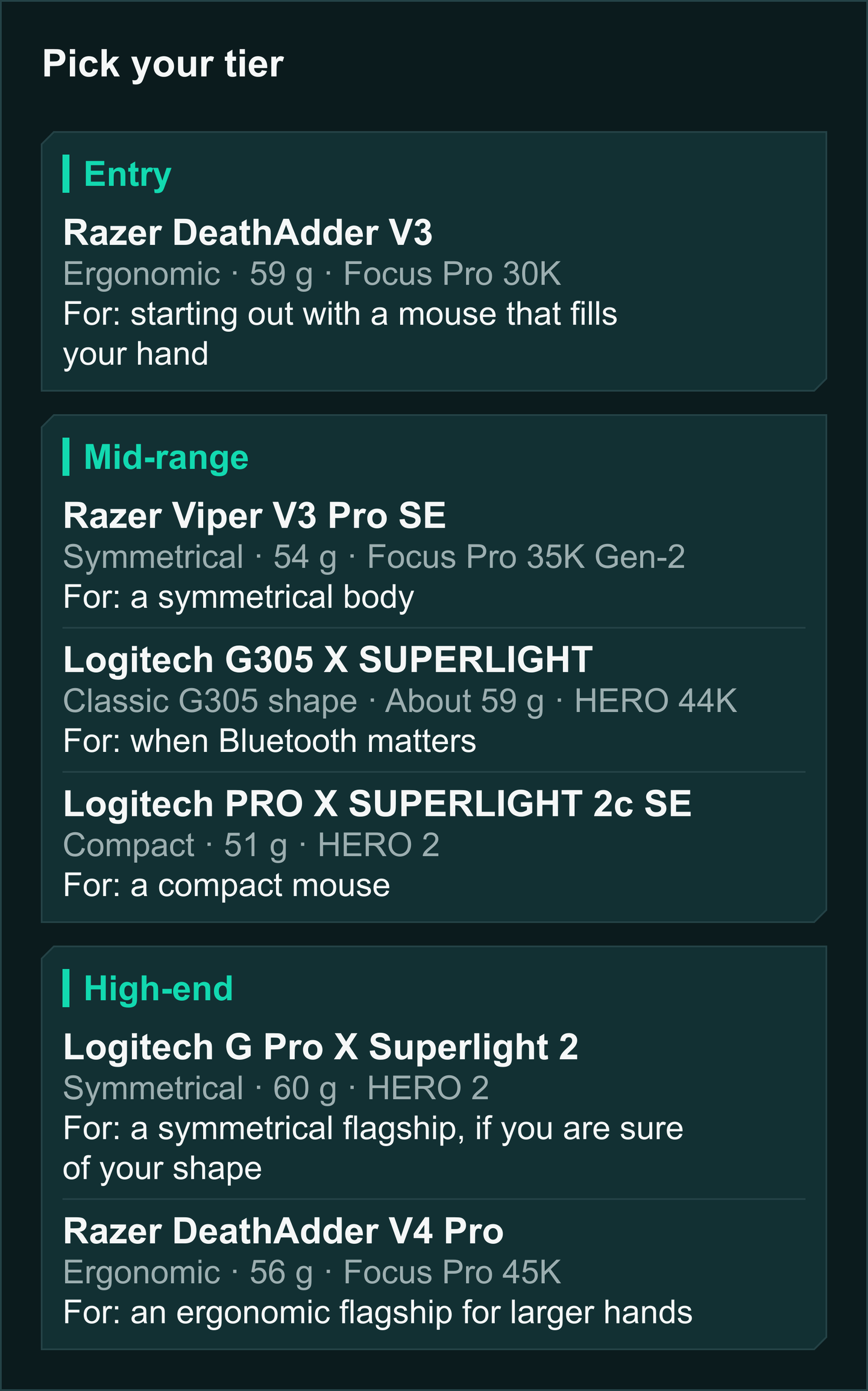
- Entry: If you are starting out and like a mouse that fills your hand, take the DeathAdder V3.
- Mid-range: the Viper V3 Pro SE for a symmetrical body, the G305 X SUPERLIGHT if Bluetooth matters, or PRO X SUPERLIGHT 2c SE for a compact mouse.
- High-end: If you are sure of your shape and want a flagship, take the Superlight 2 (symmetrical) or the DeathAdder V4 Pro (ergonomic, for larger hands).
None of the mid-range mice is ergonomic; the DeathAdder V3 covers that shape at entry.
Our gaming mice section lists more mice.
In this guide series
Frequently asked questions
Is a symmetrical or ergonomic mouse better for FPS?
Neither wins for everyone. The models leading ProSettings.net's mouse list are symmetrical, yet the ergonomic DeathAdder V4 Pro ranks second in CS2 with 106 of 948 tracked pros (October 2026). Pick the shape that fits your hand and grip.
Is 8000 Hz polling worth it?
Only on a strong setup. ProSettings.net's polling article (November 2024) pairs 4000 Hz and up with a 240 Hz monitor and a Ryzen 5 3600 or Core i5 8600K class CPU.
Is a wireless mouse fast enough for competitive FPS?
Pros use it. Every mouse in ProSettings.net's Valorant ranking and in its CS2 top five is wireless.
How heavy should a gaming mouse be for FPS?
The leading mice in ProSettings.net's Valorant ranking weigh 49 to 62 g. Our six picks run from 51 to 60 g.
Can a mid-range mouse keep up in competitive FPS?
On the core specs, yes. Our three mid-range picks carry current HERO or Focus Pro sensors at 51 to 59 g, according to Logitech's and Razer's US pages.
Sources
- PRO X SUPERLIGHT 2, Logitech G US, product page (undated, read October 25, 2026)
- G PRO X Superlight 2 specification, Logitech support US, spec sheet (undated, read October 25, 2026)
- PRO X SUPERLIGHT 2c SE, Logitech G US, product page (undated, read October 25, 2026)
- G305 X SUPERLIGHT, Logitech G US, product page (undated, read October 25, 2026)
- Razer Viper V3 Pro SE, Razer, product page (undated, read October 25, 2026)
- Razer DeathAdder V4 Pro, Razer, product page (undated, read October 25, 2026)
- Razer DeathAdder V3, Razer, product page (undated, read October 25, 2026)
- Mice used by pro players, ProSettings.net, pro usage list (undated, read October 25, 2026)
- Best Mouse for VALORANT, ProSettings.net, pro usage guide (last modified July 22, 2026, counts October 2026)
- Best Mouse for CS2, ProSettings.net, pro usage guide (rankings updated October 24, 2026)
- CS2 Best Settings & Options Guide, ProSettings.net, settings guide (last modified September 25, 2026)
- VALORANT Best Settings and Options Guide, ProSettings.net, settings guide (last modified May 18, 2026)
- Best FPS Mouse for Competitive Gamers, ProSettings.net, buyer's guide (last modified October 15, 2025)
- Is a higher polling rate mouse worth it?, ProSettings.net, article (published December 5, 2022, last modified November 11, 2024)
- Mouse grips explained, Corsair, guide (last updated August 5, 2026)