
Quick answer
Take the OLED (Alienware AW2725DF) for the fastest response time, how quickly a pixel changes shade, and the lowest display lag, the delay the screen itself adds. Pick the TN for the sharpest motion, and the IPS only for its strobing backlight. TFTCentral measured 0.49 ms on the OLED; display lag differed by under half a millisecond.
- Pick the Alienware AW2725DF if response time and display lag decide it for you.
- Pick the ASUS ROG Swift Pro PG248QP if the sharpest motion in a shooter comes first.
- Pick the ASUS ROG Swift PG27AQN if ULMB 2 strobing is why you are buying.
In this article
Part of: Best Gaming Monitors for FPS
Our picks are based on manufacturer specs, independent lab measurements (TFTCentral) and pro player usage data. We have not tested these products hands-on.
In an FPS the enemy's strafe has to stay sharp while it moves, and panel type sets how much blur the screen adds. These three monitors are the ones one lab reviewed with the same method, so they compare like for like. We could not open a review by the same lab for the current ZOWIE TN models or the Sony INZONE M10S II. Refresh rate and size are separate choices, covered in our guide to gaming monitors for competitive FPS.
Our picks compared
Comparison based on published specifications. Check the manufacturer page for current details.
Compare all specs
| Product | Panel | Size and resolution | Max refresh rate | Response time (maker's rating) | Link |
|---|---|---|---|---|---|
| Alienware AW2725DF | QD-OLED | 27 inch, 2560 x 1440 | 360 Hz | 0.03 ms | Check price on Dell(affiliate link, opens in a new tab) |
| ASUS ROG Swift 360Hz PG27AQN | Fast IPS | 27 inch, 2560 x 1440 | 360 Hz (DisplayPort) | 1 ms | Check price on ASUS(affiliate link, opens in a new tab) |
| ASUS ROG Swift Pro PG248QP | TN | 24.1 inch, 1920 x 1080 | 540 Hz | 0.2 ms | Check price on ASUS(affiliate link, opens in a new tab) |
Alienware AW2725DF
Who it's for: The fastest pixels and lowest lag of the three, for players who rank those first.
ASUS ROG Swift 360Hz PG27AQN
Who it's for: Less blur from a strobing backlight (ULMB 2), on an IPS panel.
ASUS ROG Swift Pro PG248QP
Who it's for: The sharpest motion in the lab's camera test, for players who rank that first.
Which panel has the fastest response time?
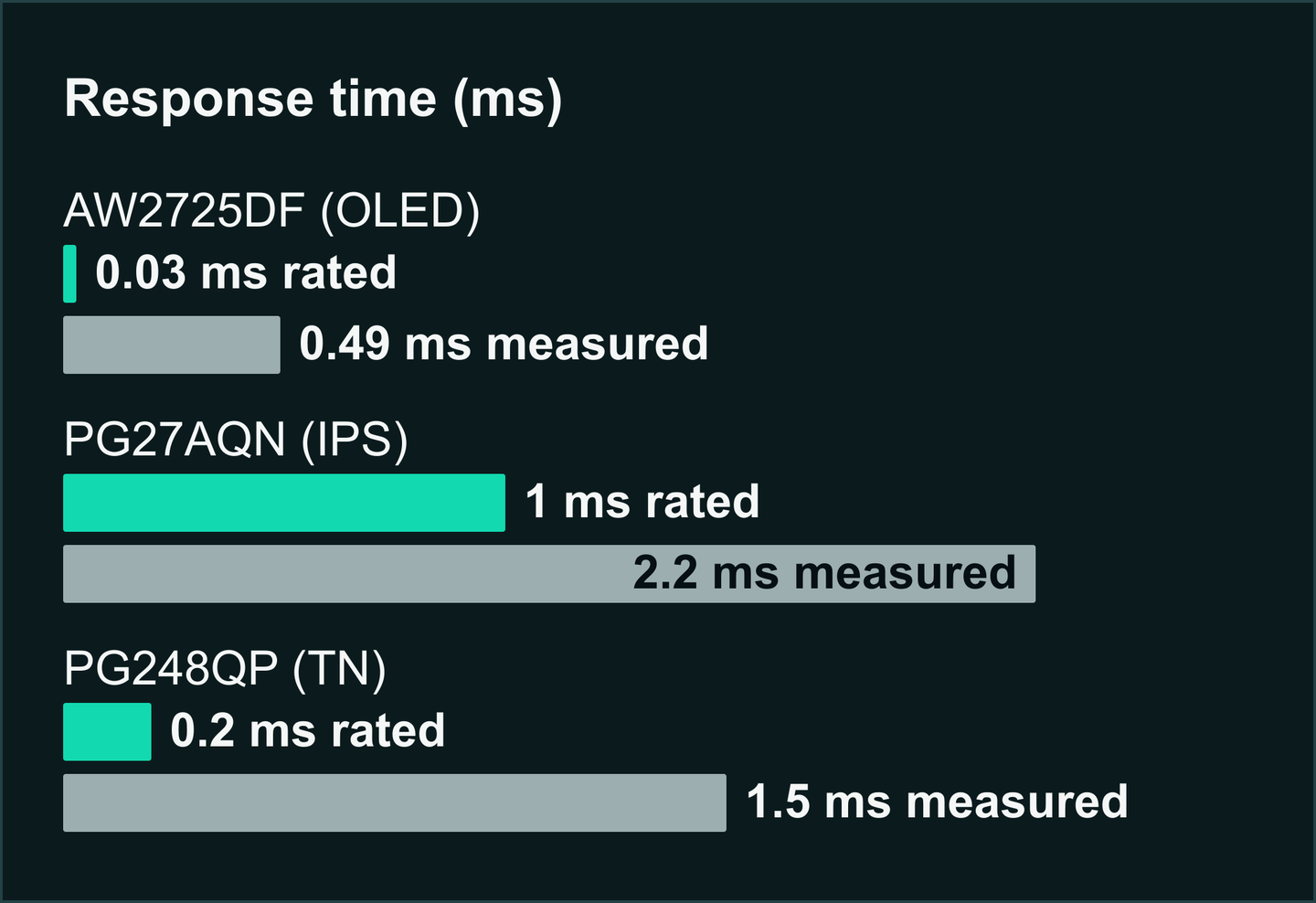
OLED. The lab's gray-to-gray average (the time to switch between shades) was 0.49 ms on the Alienware AW2725DF (OLED), 2.2 ms on the ASUS ROG Swift PG27AQN (IPS) and 1.5 ms on the ASUS ROG Swift Pro PG248QP (TN).
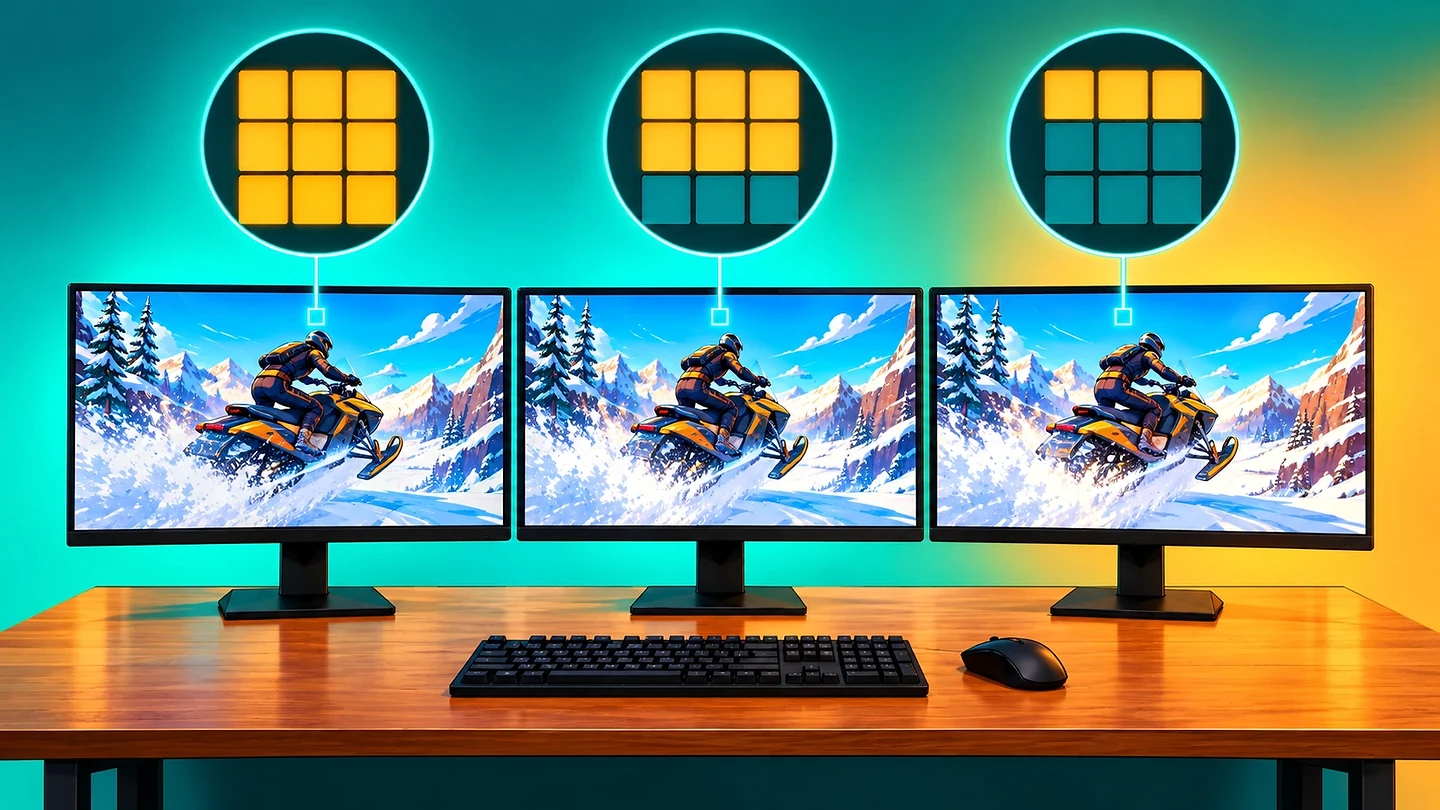
The OLED's 0.49 ms held at 360, 240, 120 and 60 Hz. The TN's 1.5 ms is at 540 Hz and the IPS's 2.2 ms at 360 Hz, and no new IPS average followed its firmware update.
Does panel type change display lag?
Hardly. The lab recorded 0.71 ms of display lag on the OLED, 1.17 ms on the IPS and 0.83 ms on the TN.
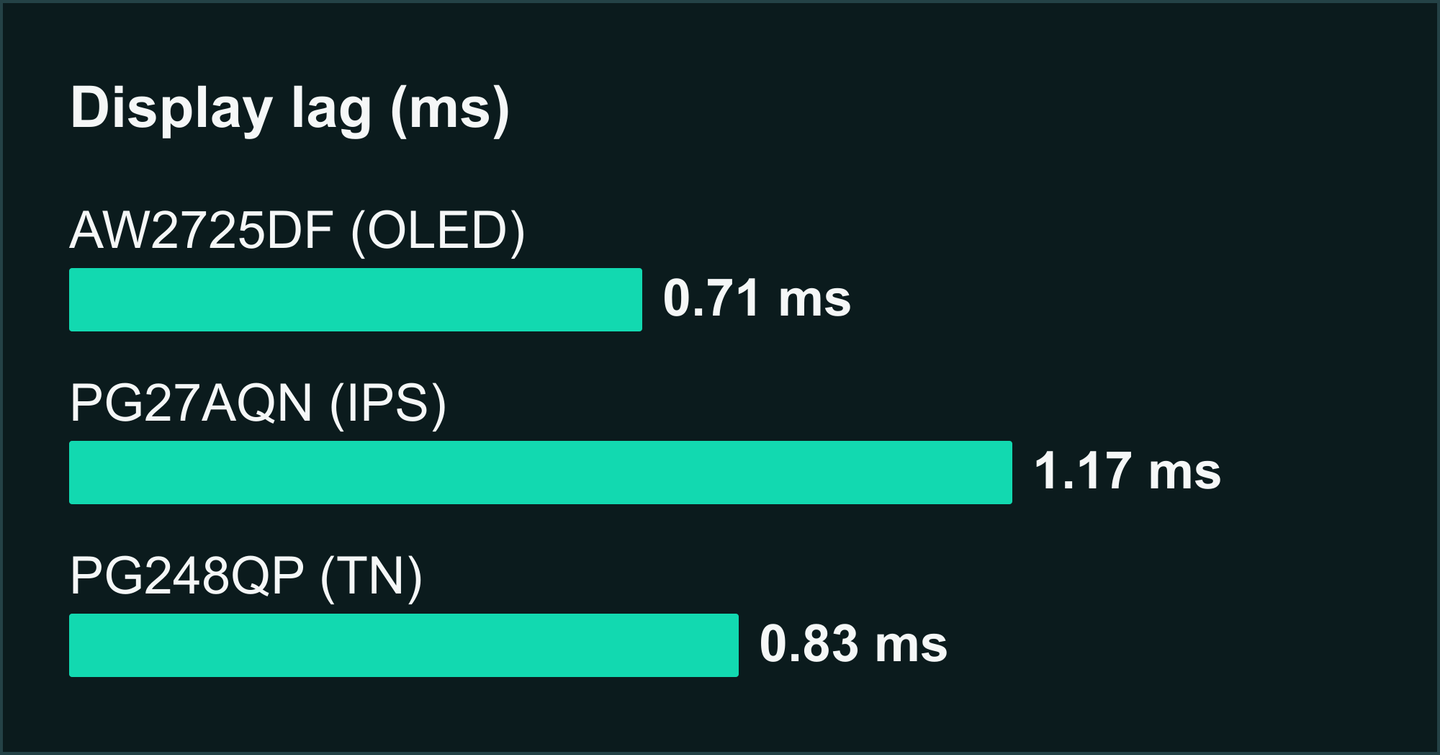
The OLED leads the TN by 0.12 ms and the IPS by 0.46 ms, less than the 2.78 ms of one refresh at 360 Hz (our arithmetic: 1,000 divided by 360). The reviews do not state the refresh rate for these figures.
Is OLED clearer than IPS or TN in motion?
At equal refresh rates the OLED looks clearer in motion, but a 540 Hz TN nearly closes the gap. The lab judges motion clarity, how sharp a moving enemy stays, from pursuit camera photos (a camera that follows a moving object to show its blur). It puts an OLED at about 1.5 times an LCD, and a 240 Hz OLED at roughly a 360 Hz LCD.
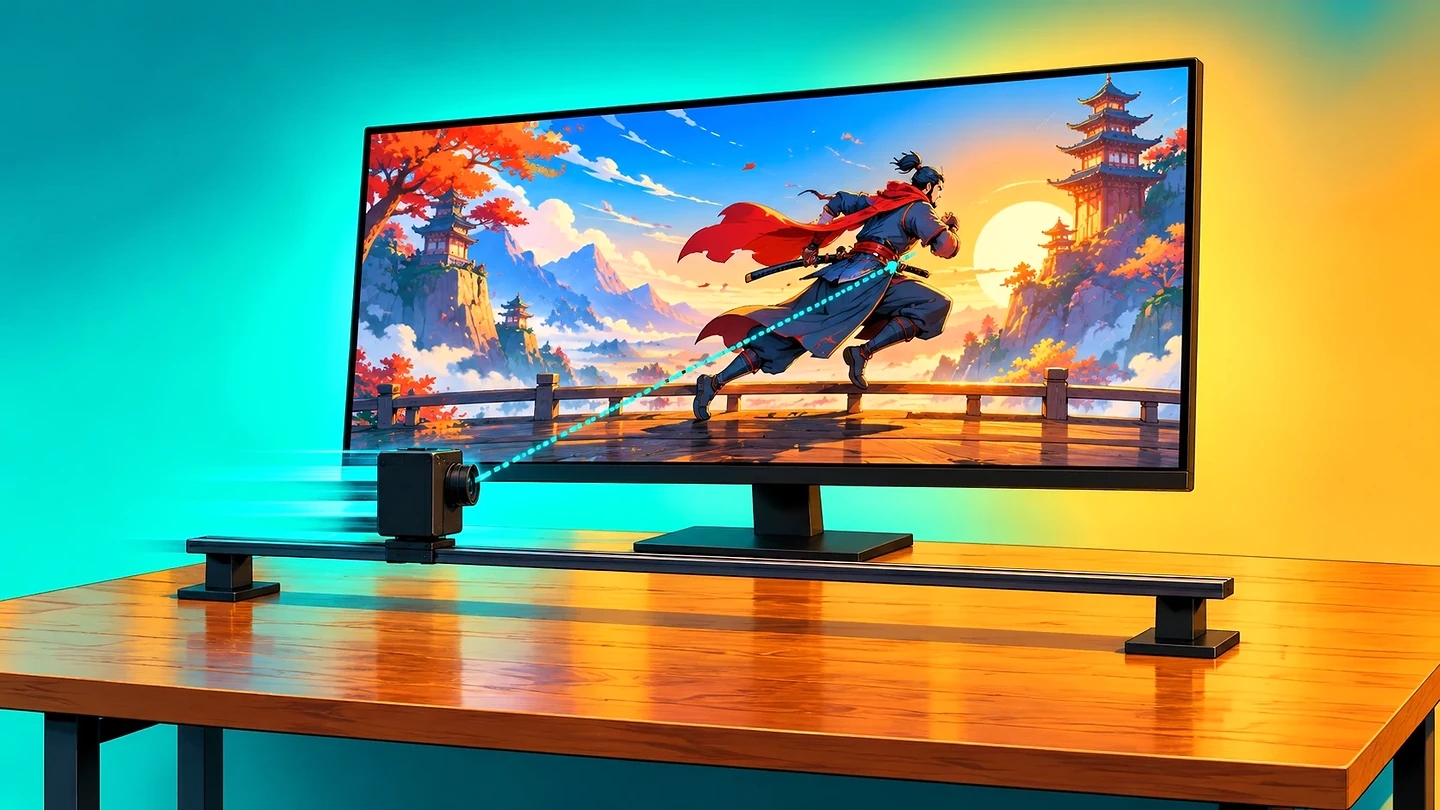
Against the 540 Hz TN, the 360 Hz OLED came out close, with the LCD slightly ahead. The 360 Hz IPS looked very similar overall to a 240 Hz OLED.
| Measure | OLED (AW2725DF) | IPS (PG27AQN) | TN (PG248QP) |
|---|---|---|---|
| Average response time | 0.49 ms | 2.2 ms | 1.5 ms |
| Display lag | 0.71 ms | 1.17 ms | 0.83 ms |
| Motion clarity, camera test | About 1.5 times an LCD | Close to a 240 Hz OLED | Ahead of the 360 Hz OLED |
What are the downsides of each panel?
Each panel gives something up that no speed figure shows.
- OLED: burn-in. The lab notes the technology "carries an inherent risk of image retention and burn-in". Dell's US page lists a 3-year warranty that includes coverage for OLED burn-in.
- IPS: glow and weaker contrast. The PG27AQN review found a pale glow at an angle and contrast it called mediocre even for IPS.
- TN: narrow viewing angles. The PG248QP review calls the viewing angles "very restrictive": colors and shading shift as your head moves.
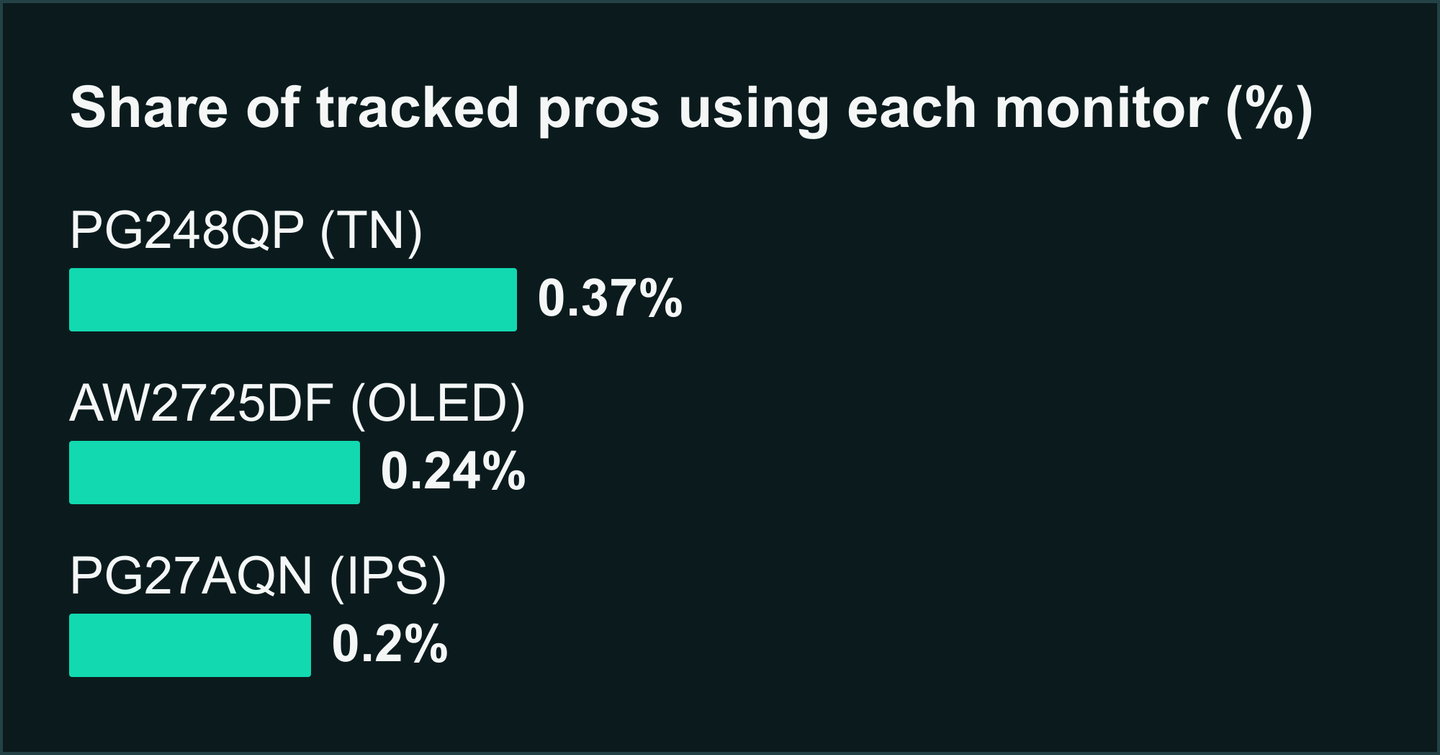
Pros rarely use any of the three: 0.37% of tracked pros on the PG248QP, 0.24% on the AW2725DF and 0.2% on the PG27AQN (ProSettings.net, November 2026).
How should you read a response time rating?
Compare measured figures from one lab and one method, not the maker's rating. The ratings here (0.03 ms, 1 ms and 0.2 ms) sit 0.46 to 1.3 ms below the measured figures.
Methods differ too. The same lab's XL2566K review gave 2.1 ms with its newer method and 2.5 ms with the traditional one.
OLED, IPS or TN for ranked Valorant and CS2?
Go for the OLED when response time and display lag come first, the TN when the clearest motion does, and the IPS when you are buying for its strobing backlight.
Choose by result
Choose OLED if…
- Response time is your priority: 0.49 ms, the fastest here.
- Display lag matters most to you: 0.71 ms, the lowest here.
- You can live with the burn-in risk and motion a touch softer than the TN's.
Choose IPS if…
- ULMB 2, the strobing backlight, is why you are buying.
- Motion close to a 240 Hz OLED at 360 Hz is enough for you.
- You can live with the slowest response time and display lag here.
Choose TN if…
- The clearest motion in the camera test comes first.
- You sit straight in front of the screen.
- The OLED's extra speed is not worth its burn-in risk to you.
Frequently asked questions
Is OLED better than IPS for competitive FPS?
On response time and display lag, yes. In TFTCentral's lab an OLED measured 0.49 ms response time against 2.2 ms for an IPS, and 0.71 ms of display lag against 1.17 ms. Both gaps are smaller than the 2.78 ms of one refresh at 360 Hz, and the IPS figure predates a firmware update.
Is TN still the best panel for FPS?
For motion clarity, narrowly. TFTCentral's camera test gave a 540 Hz TN a little sharper motion than a 360 Hz OLED, and the five most-used monitors on ProSettings.net's pro list are TN models. The OLED still measured the faster response time.
Does OLED have less display lag than IPS or TN?
By a small margin. TFTCentral measured 0.71 ms on the OLED, 0.83 ms on the TN and 1.17 ms on the IPS, a spread of 0.46 ms.
Does a 240 Hz OLED look as clear as a 360 Hz LCD?
Roughly. TFTCentral's pursuit camera photos put a 240 Hz OLED level with a 360 Hz LCD. Against a 540 Hz TN, a 360 Hz OLED came out close, with the LCD a little ahead.
Sources
- Dell Alienware AW2725DF, TFTCentral, lab review: response time, display lag, motion clarity, burn-in risk (February 17, 2024; re-read November 22, 2026)
- Asus ROG Swift PG27AQN, TFTCentral, lab review: response time, display lag, ULMB 2, off-angle IPS glow and contrast (June 20, 2023; re-read November 22, 2026)
- Asus ROG Swift Pro PG248QP, TFTCentral, lab review: response time, display lag, motion clarity, restrictive viewing angles (November 13, 2023; re-read November 22, 2026)
- BenQ ZOWIE XL2566K, TFTCentral, lab review (December 13, 2022): gamma-corrected and traditional response time methods
- Monitors used by pro players, ProSettings.net, pro usage list (undated, read November 22, 2026)
- TN vs IPS vs OLED for gaming, ProSettings.net, panel comparison: the five most-used monitors are TN, and TN is called the fastest panel for pure competitive play (August 10, 2026)
- Alienware 27 360Hz QD-OLED Gaming Monitor (AW2725DF), Dell US, official product page: 3-year warranty "Including coverage for OLED burn in" (undated, read November 22, 2026)
- ROG Swift 360Hz PG27AQN, ASUS ROG US, official product page (undated, read November 22, 2026)
- ROG Swift 360Hz PG27AQN specifications, ASUS ROG US, official spec page (undated, read November 22, 2026)
- ROG Swift Pro PG248QP, ASUS ROG US, official product page (undated, read November 22, 2026)
- ROG Swift Pro PG248QP specifications, ASUS ROG US, official spec page (undated, read November 22, 2026)